Importing Students#
We are now ready to add our students to the webwork course. This will entail 4 general steps:
Download the roster from UB Learns
Reformat the data
Upload the resulting file into WeBWorK
Import the students from this classlist file.
UB Learns Roster#
We first need to download our course roster from UB Learns, so that it contains 4 fields: Student ID#, UBITname, first name, and last name.
Go to Instructor Only > Course Admin page in your UB Learns course.
Under the Assessment heading, select Grades.
Go to the Enter Grades tab (directly under the blue nav bar).
Select Export Grades.
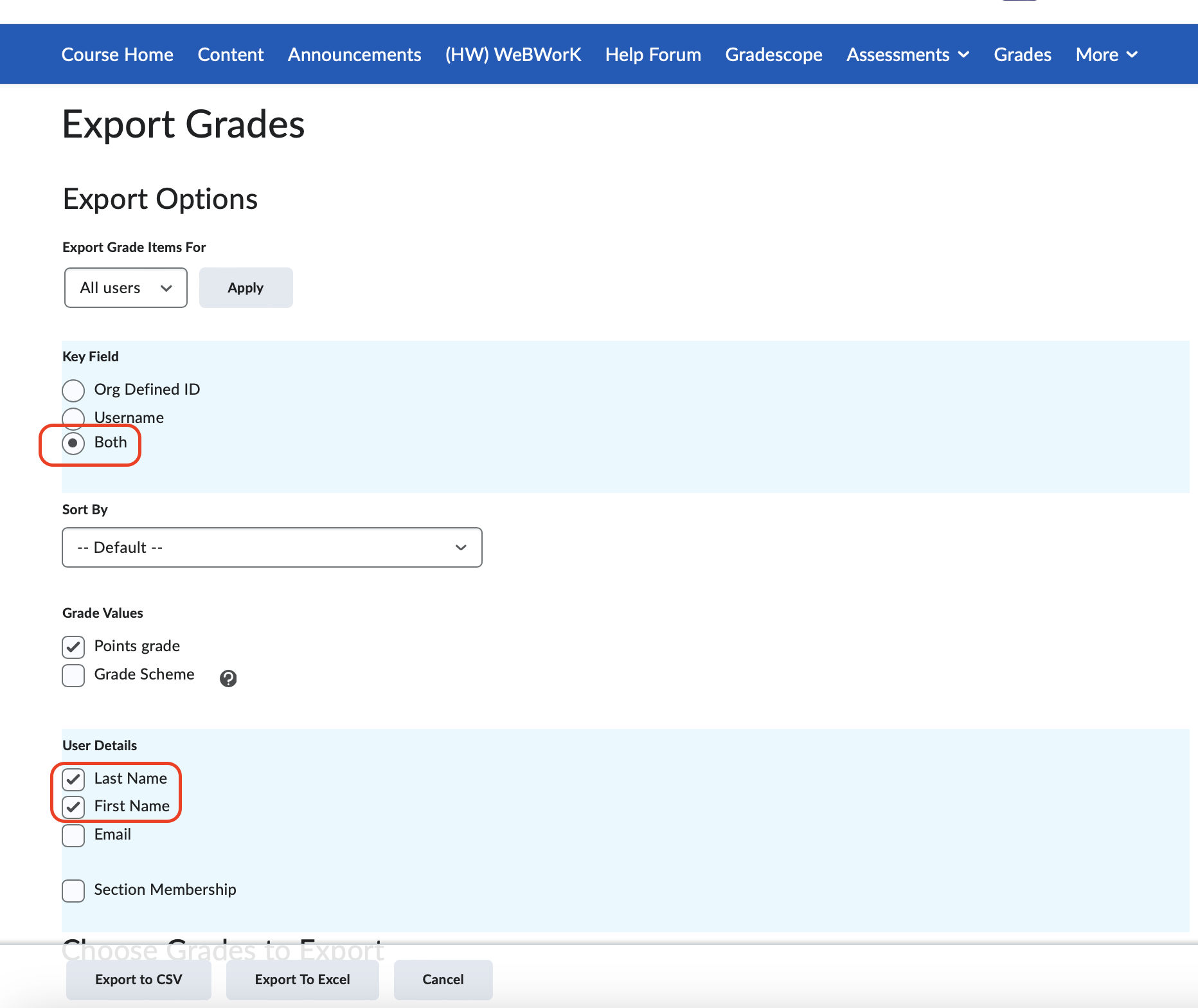
Set the Key Field to “Both” and select Last Name and First Name under User Details.
Click the Export to CSV button at the bottom.
View of Export Grades
Reformat Data#
Open the csv file.
Delete all columns except the first four: OrgDefinedID, Username, Last Name, First Name.
Delete all hashtags in both the OrgDefinedID and Username columns (use “Find & Replace”).
Move the username column, to column “I”.
Delete the first row containing the column headings.
Save the file.



Upload to WeBWorK#
Rename the file to something shorter and without spaces.
I like to use the convention: YYYY-MM-DD-roster, because you will most likely want to repeat these steps multiple times during the add/drop period.
Change the file extension to .lst
You can do this while you are renaming the file in the above step.
On older Macs you can do this by right clicking the file and selecting Get Info.
On Webwork, upload this .lst file to the file manager (just like you did with the homework packages)
Import Students#
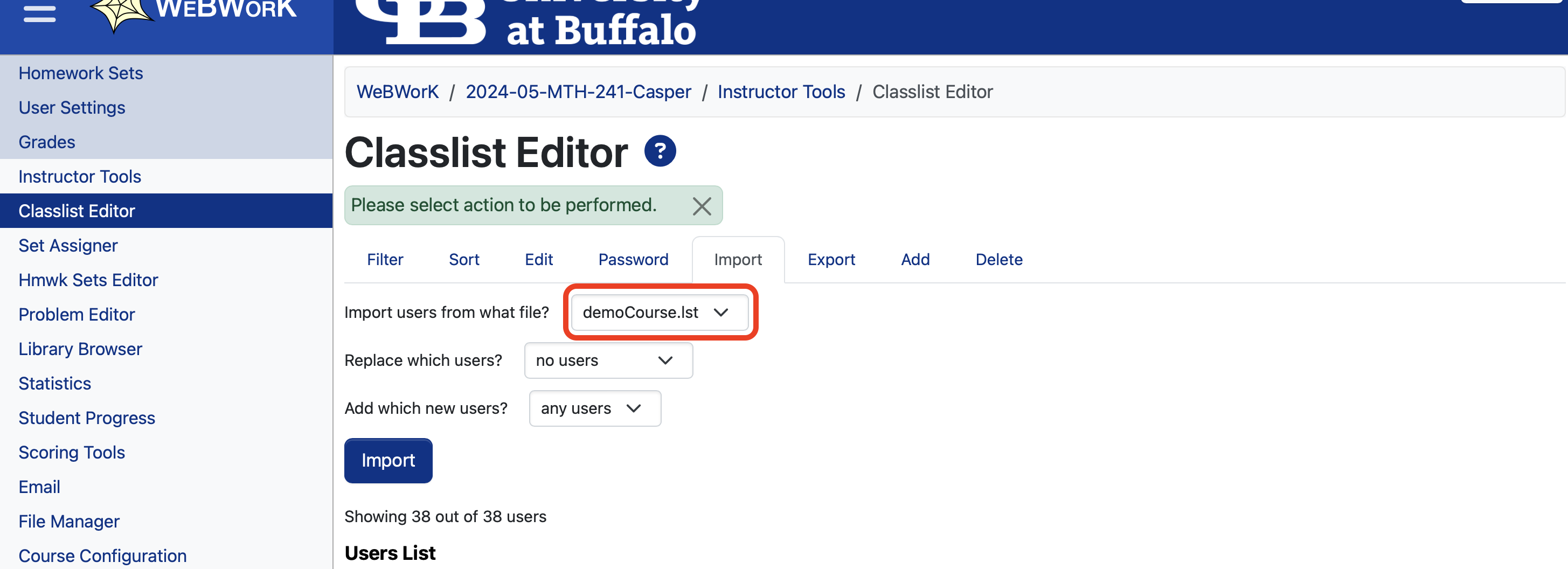
Go to the Classlist Editor under Instructor Tools
Select the Import tab.
From the dropdown menu, select the .lst file you just uploaded.
Click the Import button.
You can safely do this as many times as you need to, it will not overwrite any work of students that have been previously added. I normally repeat this process each day during the add / drop period.
Import View on WeBWorK