
Changing Due Dates#
Once the homework sets are imported, you next need to change the open, close, and answer dates. Once you change the date for one set, you can copy and paste for all other sets.
Under the Instructor Tools Menu, select Homework Sets Editor
Select the Edit tab
Select all sets you wish to edit, and then click edit.
Change the dates as needed.
Access the homework set edit page
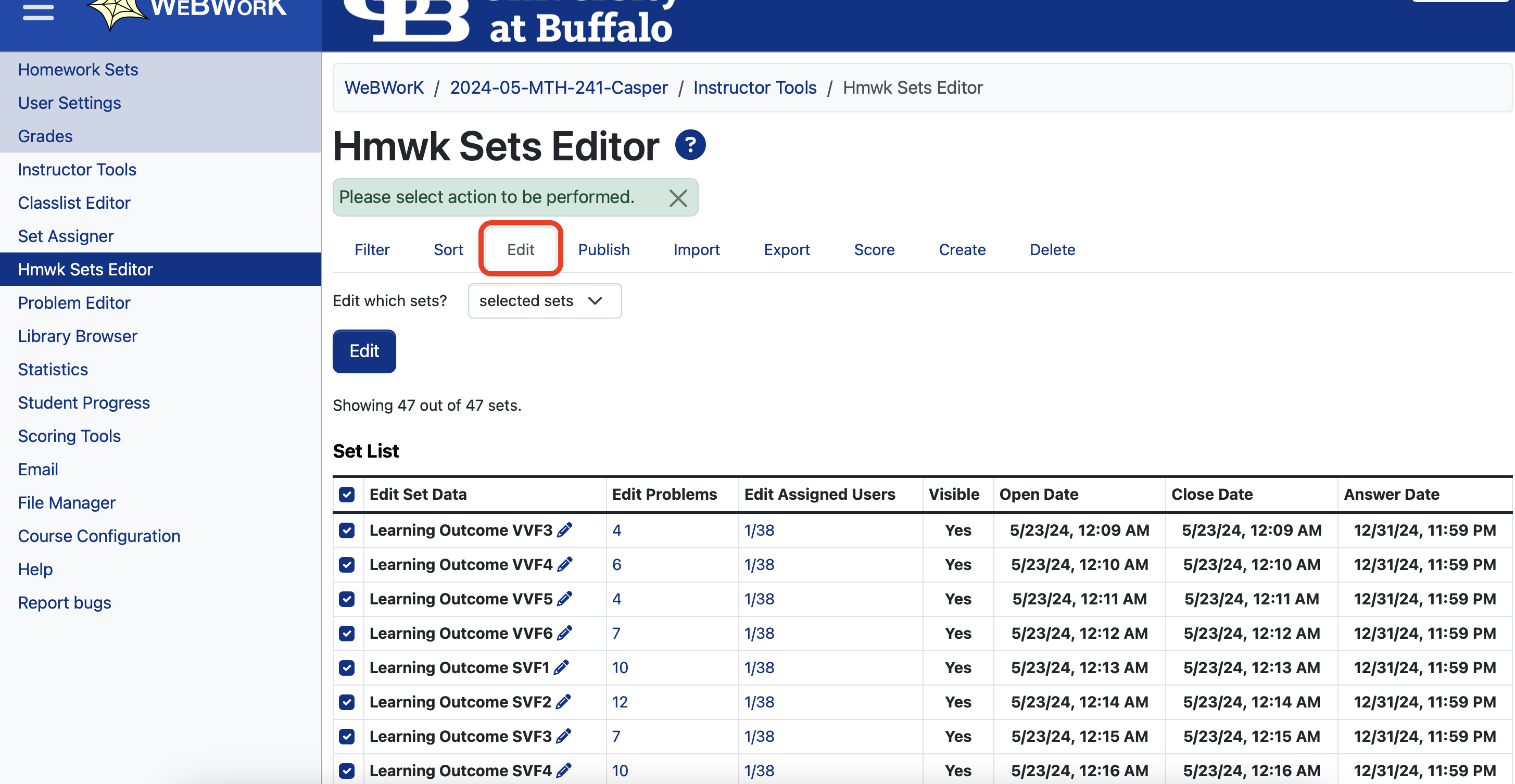
Edit Due Dates View
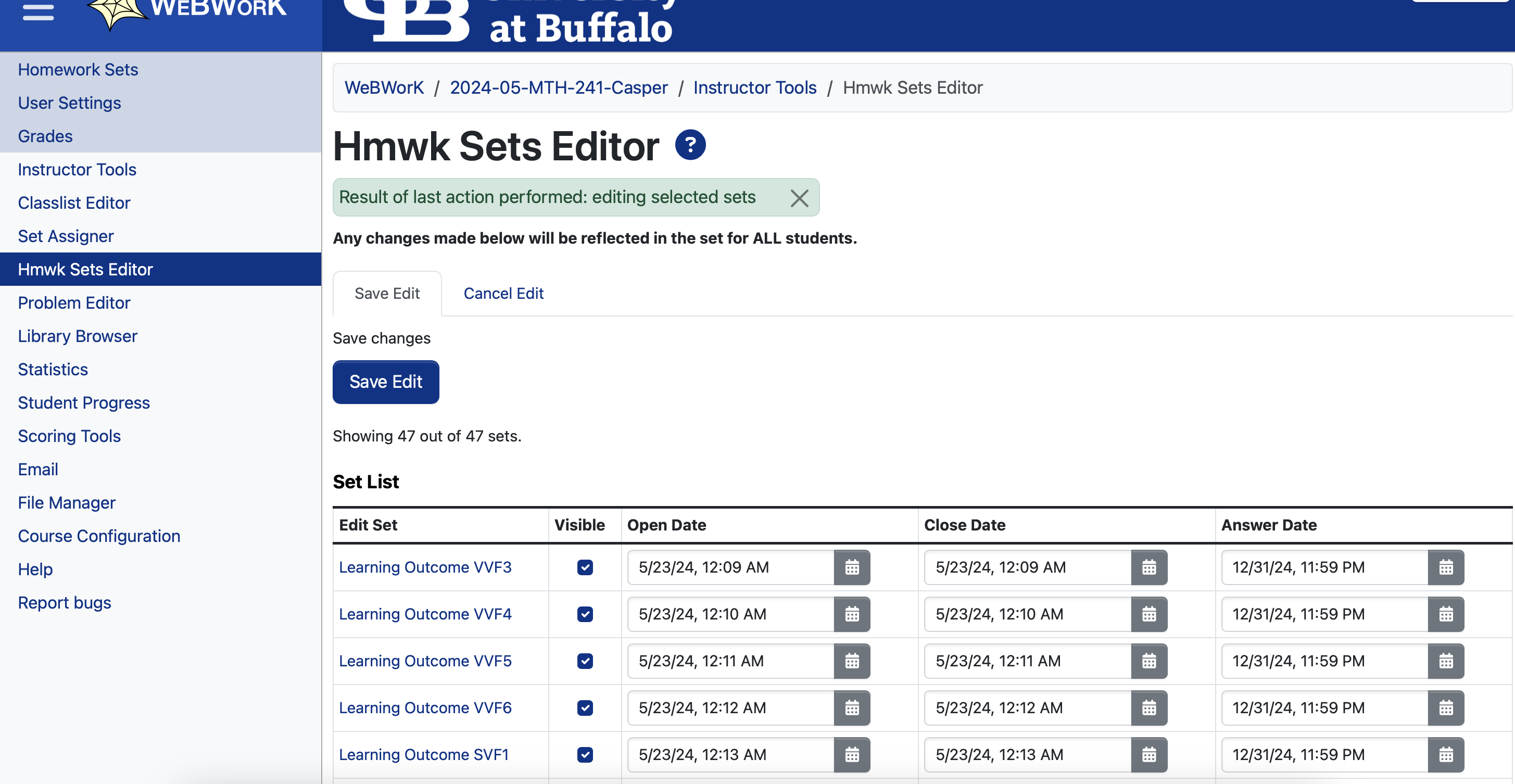
Answer Dates: I normally make this the end of the year for all sets e.g. 12/31/2025 at 11:59pm. This gives me the flexibility of being able to re-open sets towards the end of the semester, without students having already seen the answers.
Open Dates: I normally make the open date the same for each set. e.g. 05/27/2025 at 12:01am. Again, copy and paste.
One way webwork orders the homework sets is by open date. So to ensure everything is ordered chronologically, I stagger the start times for each set. e.g. 12:01am, 12:02am, 12:03am, etc.
Close Dates: Set the close dates and times to whenever you want the set to close. I normally recommend an 11:59pm closing time.
Re-opening Sets#
Once a set closes, you can re-open it for your students by simply changing the closing date / time using the same steps as above. This is something I normally do towards the end of the semester.