
Course HW Setup#
Overview of the HW Setup Process#
Submit request to CASet
Change Course Info
Change Email Preferences
Upload homework packages
Import homework sets
Change dates on homework sets
Upload classlist
Import students
Assign students homework
CASet Request#
In order to use webwork in your course, you need to first request that UB CASet create a course for you on their server.
Go to the CASet ticketing system webpage.
Click on the Request General Computing Support button.
In the Short Problem Summary field type: “Webwork”.
In the Describe the issue below field include the following information:
Primary Instructor Name
Primary Instructor UB IT name
Course Number
Course Title
Semester
Existing WeBWorK course to use as a template (This is only applicable if you already have a previous class of your own on the server that you want to reuse.)
Describe the issue below - example
Primary Instructor: Michael Casper
Primary Instructor UB IT name: mjcasper
Course Number: MTH 241
Course Title: College Calculus 3
Semester: Winter 2026
Existing WeBWorK course template: none
Change Course Info#
Once your course is created on the server, change the course info page that displays in the right sidebar of your course.
Edit Course Info View
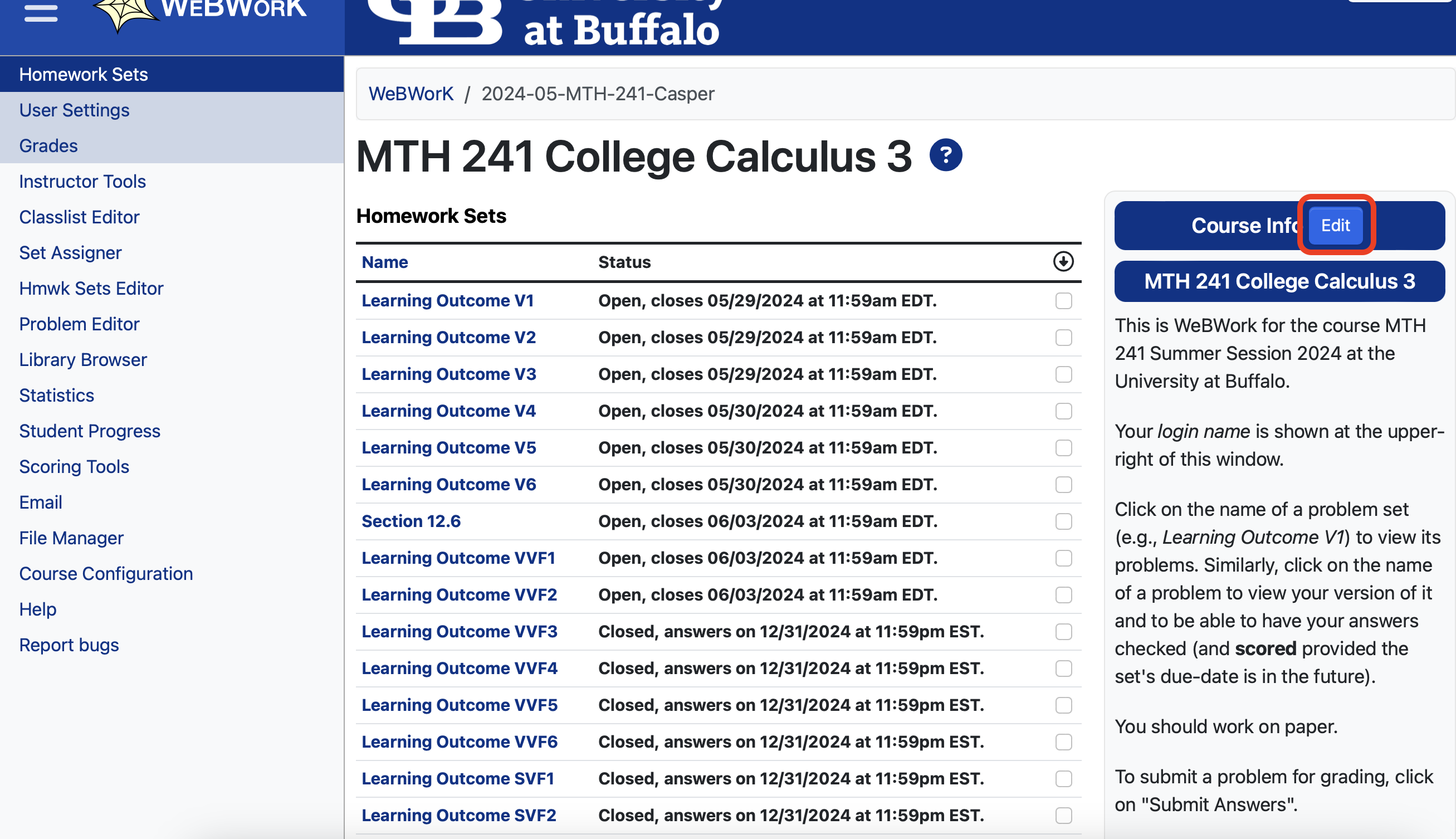
Sample course info
<h2>MTH 142 College Calculus 2</h2>

<p>This is WeBWork for the course MTH 142 Spring Semester 2024 at the University at Buffalo.</p>

<p>Your <em>login name</em> is shown at the upper-right of this window.</p>

<p>Click on the name of a problem set (e.g., <em>Learning Outcome I1</em>) to view its problems. Similarly, click on the name of a problem to view your version of it and to be able to have your answers checked
(and <strong>scored</strong> provided the set's due-date is in the future).</p>

<p>
You should work on paper.
</p>

<p>To submit a problem for grading, click on "Submit Answers".</p>

<p>Note that you can use the "Preview My Answers" button to render your typed solution in an easier to read format without actually submitting your answer for grading.</p>
Change Email Preferences#
Another task to do right away is to change the email preferences for your webwork course. By default, webwork gives students the ability to email instructors questions about the homework directly through the website. In my experience, it is better to have students ask questions through different means: zoom meeting, discussion board, or email where they can actually send a picture of their work. Also, slightly increasing the friction needed to ask a question, gives students a little more time to think about what they want to ask.
Because of this, I change the email permission level so that nobody can email the instructor through the webwork platform.
Edit Email Permission View

Syllabus Digital Accessibility Notice#
If you do decide to use WeBWorK in your course, the following paragraph needs to be included in your syllabus:
Syllabus - WeBWorK
The University at Buffalo is committed to ensuring digital accessibility for people with disabilities. We are continually improving the user experience for everyone and applying the relevant accessibility standards to ensure we provide equal access to all users. If you experience any difficulty in accessing the content or services on WeBWorK, we will provide an alternative means of access to the information and services presented through WeBWorK. To request assistance or provide suggestions about improving the user experience, please contact the Mathematics Department via email (mjcasper@buffalo.edu) or phone (716-645-8779).
Why use WeBWorK?#
Free for UB students.
Provides instant feedback to students.
Automatically grades homework, so instructors can focus grading resources on other assessments (quizzes and exams).
There are custom problems and sets that have been specifically written to follow our calculus courses here at UB.
Each set can be customized by the instructor. You can remove problems you don’t want or add ones you do. There is actually an entire library of additional problems that you can use.